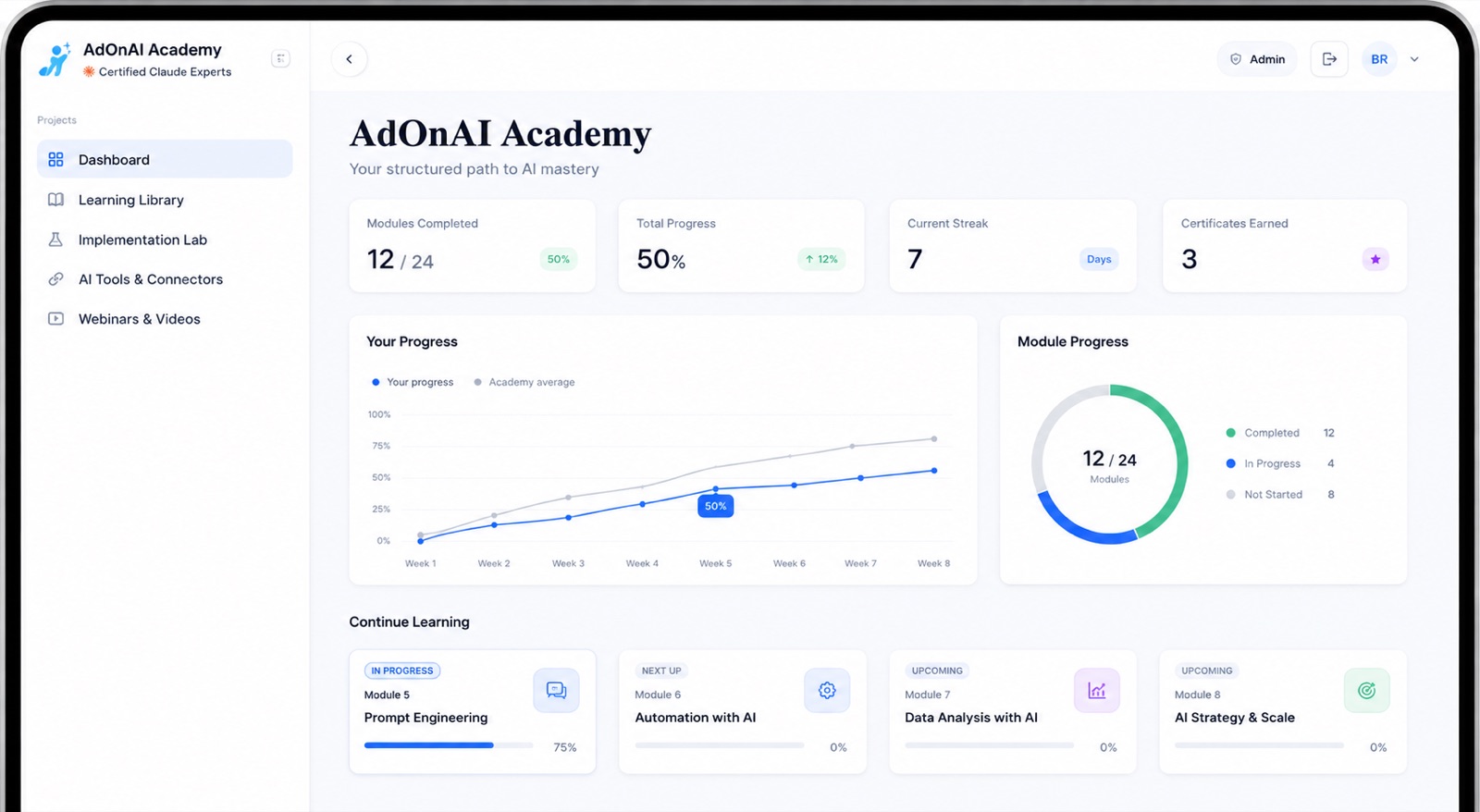
We train support and admin staff to use AI on the writing that piles up after every shift. Three months, built around your own notes, reports and plans, delivered by Claude Certified Associates. Your team finishes the documentation on the day instead of taking it home.
Trusted by over 14,000 Australian businesses.
Australian-owned since 2008, rated 4.8 from
229 Google reviews, and delivered by Claude Certified Associates.
The paperwork nobody was hired to do
Progress notes written from memory at the end of a shift, or written tomorrow, or not written.
Incident reports that have to be accurate, timely and defensible, drafted by someone who has just had a very hard day.
A participant's whole file to re-read before a plan review, across years and multiple workers.
Service agreements and support plans rebuilt from a template every time, with the same paragraphs retyped.
Policies that exist as 40-page documents nobody on the floor has read.
Audit preparation that turns into weeks of retrospective tidying.
Coordinators writing the same family update nine times a week.
What a support team uses AI for
The documentation burden in this sector is unusually high and almost entirely text, which is exactly where these tools are strongest. Every workflow keeps the worker as the person who checks and signs.
Shift notes into proper progress notes
A worker's rough notes turned into a structured, objective progress note written against the participant's goals — for the worker to read, correct and sign. Written up in minutes, on the day, rather than reconstructed next week.
Incident reports that hold up
A complete first draft capturing sequence, actions taken and outcome in the structure your reporting requires, so a worker who has just had a distressing shift is editing a document rather than facing an empty form.
Plan review preparation
Years of case notes reduced to what has changed, what worked, what didn't, and what the evidence supports asking for. The reading that used to take an afternoon, done before the meeting starts.
Support plans and service agreements
Drafted from the participant's goals and your standard terms, in language the participant and their family can actually read — not a template with the names swapped.
Policy into practice
A 40-page policy turned into a one-page, plain-English procedure for the floor. The version staff will actually follow, kept current as requirements change.
Family and stakeholder updates
Updates to families, allied health and support coordinators drafted from the record in a consistent tone, so a coordinator writes once instead of nine times.
Audit readiness, continuously
Documentation that is complete and contemporaneous as it goes, rather than tidied retrospectively in the weeks before an audit. The saving is the panic you don't have.
Where your service is after three months
Three stages, each ending in something the team does differently on the next shift.
1
Documentation done on the day
By the end of month one, workers are turning rough shift notes into finished, signed progress notes before they leave. This is the point where unpaid after-hours writing starts disappearing from the roster.
2
One standard across the whole team
Month two turns those into shared templates the service runs on — the progress note, the incident report, the family update, the plan-review summary. Your best documenter's approach becomes everyone's, which is what makes quality consistent rather than person-dependent.
3
Agents handling the assembly
By month three your team is building simple agents that do the gathering — pulling a participant's history into a plan-review pack, or turning a month of notes into a progress summary against goals — with a worker verifying and signing. No coding involved.
What people say after the program
★★★★★
I’ve just finished the Ad On AI training course, and it’s made a big difference in how I work. The techniques covered have cut down a lot of the repetitive, manual work in my day. That’s given me more time to focus on what really moves the needle - talking with clients and thinking through the bigger picture of how to grow their business. It’s an invaluable program, and one that’s helping me serve clients better.
Amy Fennell
★★★★★
I joined this AI course recently and I’ve been really happy with it so far. The content is good and easy to follow, and whenever I’ve had a question the support team has sorted me out quickly. It’s already helping me with my business. Worth the money, would recommend to anyone thinking about it.
Warren Johnson
★★★★★
Completing the Ad On AI training saved me countless hours on manual tasks. I’m now able to spend my day on meaningful, strategic work.
Aria
Rated 4.8 from 229 Google reviews.
Participant privacy and audit defensibility
Two questions come up immediately and we build the program around both. Participant information is sensitive information under the Privacy Act, so we cover which tools carry terms that make business use defensible, what has to be de-identified before it goes anywhere, and how to build a workflow where the sensitive detail never leaves systems you control.
On audit: AI drafts, the worker verifies and signs. That is the same accountability model as writing notes by hand, except the draft is more complete and it gets written on the day — which is stronger evidence, not weaker. Your service finishes with a written AI usage policy your quality team can sign off, drafted during the program.
How the training works
24 modules, all self-paced, so it fits around
disability services work rather than pulling anyone off the job for a day. It runs in three
stages: getting fluent with the tools, automating the tasks that repeat, then building
AI agents that handle a slice of a job end to end.
What we teach is tool-agnostic. Your team learns the thinking, then applies it in
ChatGPT, Copilot, Gemini or Claude — so the skills survive whichever tool you
standardise on next year.
What your team actually learns
For a provider, month one is progress notes and incident reports, and the agent most teams build first is the one that assembles a plan-review pack from years of case notes.
24 interactive modules, all at your own pace — full of worked examples, videos and step-by-step
instructions, and they keep growing as the tools do.
Topic 1 Foundations get fluent
Advanced prompt engineering and context management. Claude Projects that hold everything about your business, so nobody re-explains it every time. Getting AI to work across your documents, images and screenshots. Building your first AI-powered workflow, end to end.
Advanced prompt engineering
Context management
Claude Projects for business context
Working with documents, images and screenshots
Building an AI-powered workflow end to end
Topic 2 Automating your tasks get your time back
Teaching AI your job. Custom Claude skills built around how your team actually works, plus a meta skill that writes the next ones. Claude Cowork and Claude in Chrome browser automations across the tools you already use, scheduled to run without anyone starting them.
Custom Claude skills
Meta skills that build further skills
Claude Cowork automations
Claude in Chrome browser automation
Scheduling automations to run unattended
Topic 3 Agentic AI go autonomous
Handing whole jobs over. Building autonomous AI agents that carry out complete processes on their own — deciding what to do next, working across your tools, running start to finish without anyone watching — then an orchestrator agent that directs them all as one system.
Delivered by Claude Certified Associates — not generalists who added an AI
workshop last year. Ad On Group has been running as an Australian business
since 2008.
Every program includes it. This is the
difference between a team that had AI training once and a team that keeps getting
better at it while the tools keep changing.
Your own learning platform
24 interactive modules, self-paced, yours for life. The modules keep growing as AI does, so what your team learned last year does not quietly go out of date.
Two private sessions every month
An hour each, one to one with a Claude Certified Associate, spent on your team's actual work rather than a curriculum. This is where the difficult, specific problems get solved.
New masterclasses every week
Fresh sessions and podcasts on real business applications, released weekly — because the tools change monthly and a course recorded last year cannot keep up on its own.
A community of teams doing the same thing
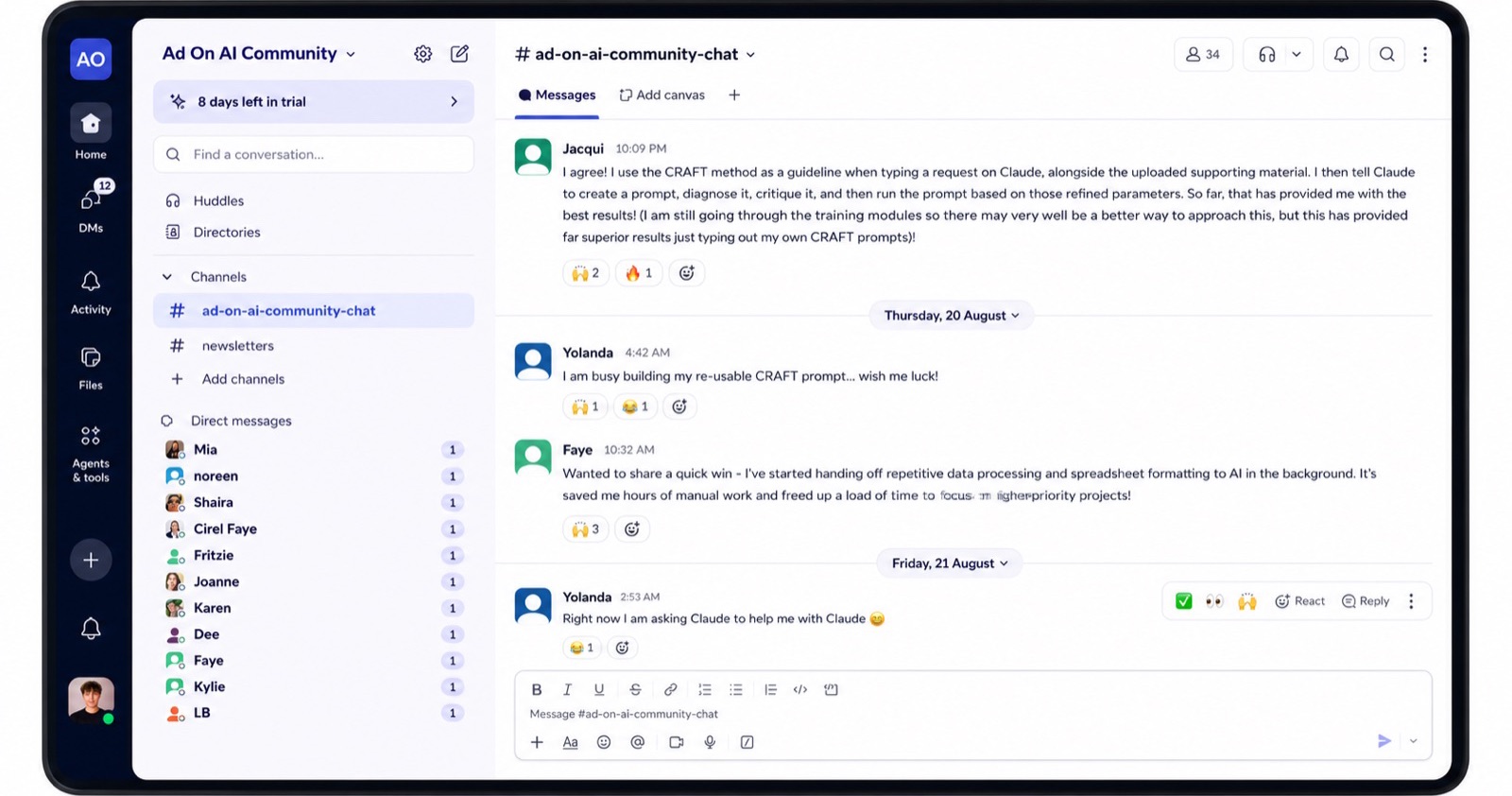
A closed space to ask, share and show what is working, alongside staff from other Australian businesses using AI daily. Most people find the peer answers as useful as ours.
Get in touch and we'll show you how AI fits your service — where the documentation time goes, what three months looks like for a team your size, and what it costs. Or take the AI audit first: six questions, about a minute.
AI for NDIS providers: less time writing notes, without cutting corners — 1 December 2026, 12:30pm AEST. Free,
online, 45 minutes, open to anyone. Documentation is most of the job. This session is about compressing the writing while keeping the record accurate, contemporaneous and attributable to the worker.
We're on the Gold Coast, we work across South East Queensland and Northern NSW, and
we have an office in Adelaide. The program runs online and self-paced, so your team
gets the same thing wherever they are.
Logan, Ipswich and the Gold Coast all carry substantial NDIS provider bases, and the documentation load scales with participant numbers rather than with back-office capacity. Northern NSW providers deal with the same paperwork across longer travel distances, which makes writing-up time even harder to find.
A workshop teaches awareness; three months changes behaviour. Support workers who sat through a workshop are back to writing notes the old way within a fortnight, because nobody built the habit on real shifts. Our program runs across three months on your own documentation, so by the end it is simply how the work gets done — and ongoing support keeps it current after that.
Does AI-assisted documentation meet NDIS Commission expectations?
The Commission's concern is that records are accurate, contemporaneous and attributable to the worker — not which tool produced the first draft. A verified, signed note written on the day is stronger evidence than one reconstructed from memory a week later. We train the verification step explicitly, and your quality team signs off the workflow before it goes live.
What does it cost?
It's quoted per team size, and the three months is a fixed cost rather than an open-ended engagement, so you know the total before you start. Tell us how many people you'd send and we'll give you the number, along with the documentation we'd expect to compress first so you can weigh it against the hours.
Our support workers aren't office-based. Will they use it?
Most of the value lands on a phone, which is where they already are. The workflows start from a voice note or a few rough lines after a shift rather than assuming anyone sits at a desk — that's how this version of the program is built.
Will this reduce support hours?
It compresses documentation time, not support time. Providers come to us to stop unpaid after-hours writing and reduce the turnover that comes with it, so the hours saved go back into the roster and into workers finishing on time.
Can it write in a participant's communication style?
Yes, and it's one of the more valuable things it does — the same information at the reading level and in the format a particular participant or family can take in, including in another language. That's a real accessibility gain, and the worker still verifies before it goes out.
We're a small provider with 15 staff. Is this viable?
Documentation load per worker is usually higher in small providers, because there's no back office absorbing it. The program is the same three months regardless of team size.
Take the audit and you'll know in a minute where your service stands and which documentation to start with. Or get in touch and we'll walk through the first month, including the privacy questions your quality team will want answered.